
Problem ->
People are looking for new tools to manage their goals as they struggle to balance their personal health, work, and life.
Solution ->
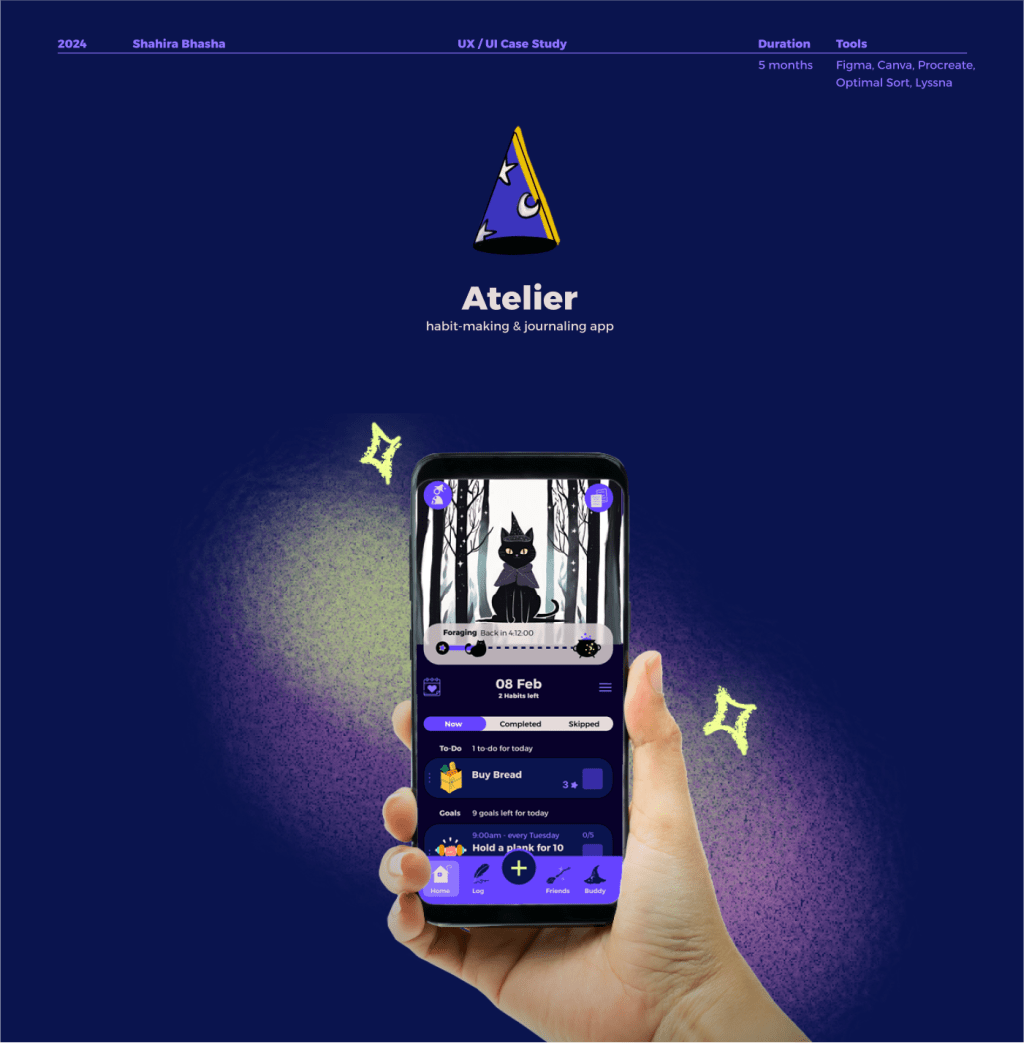
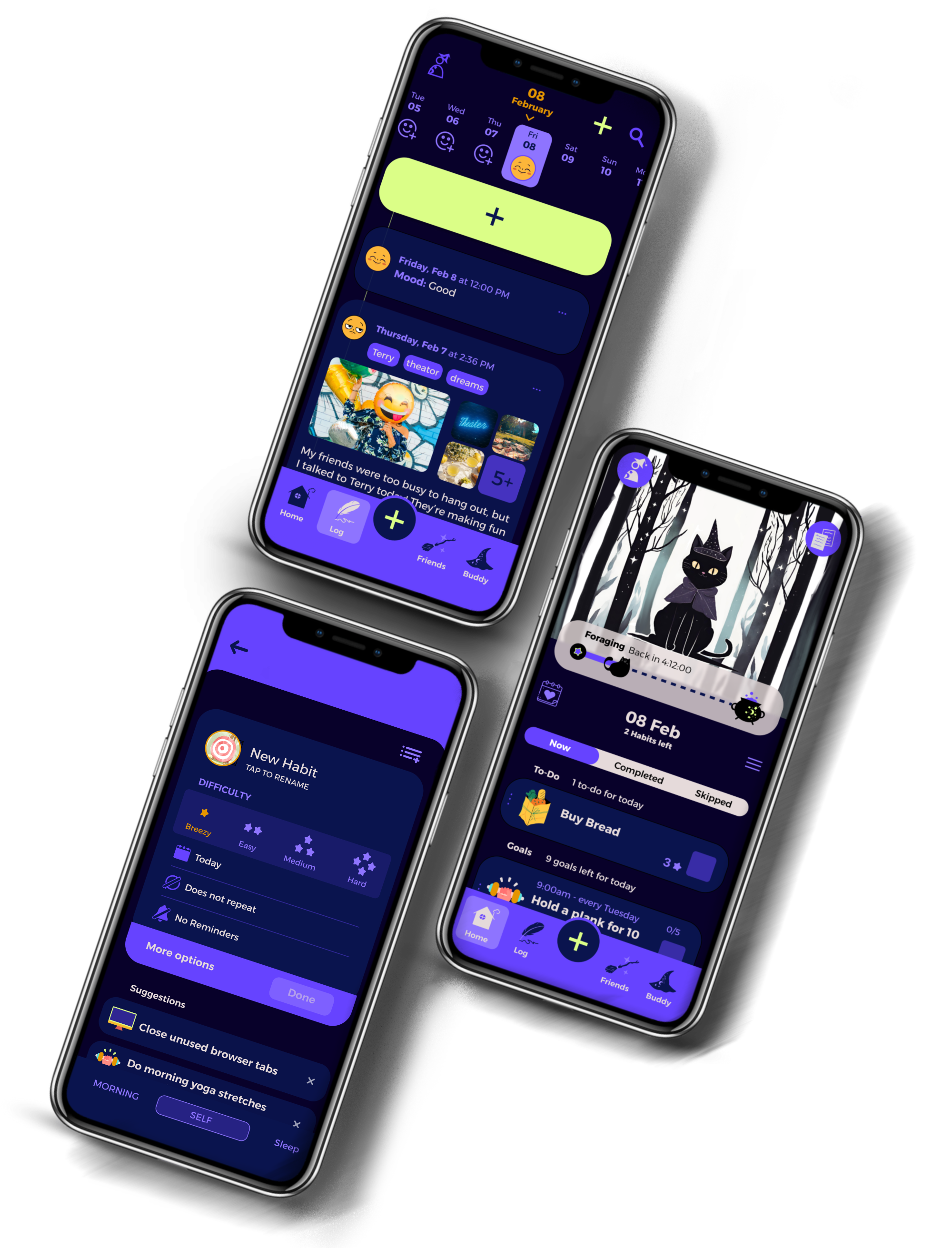
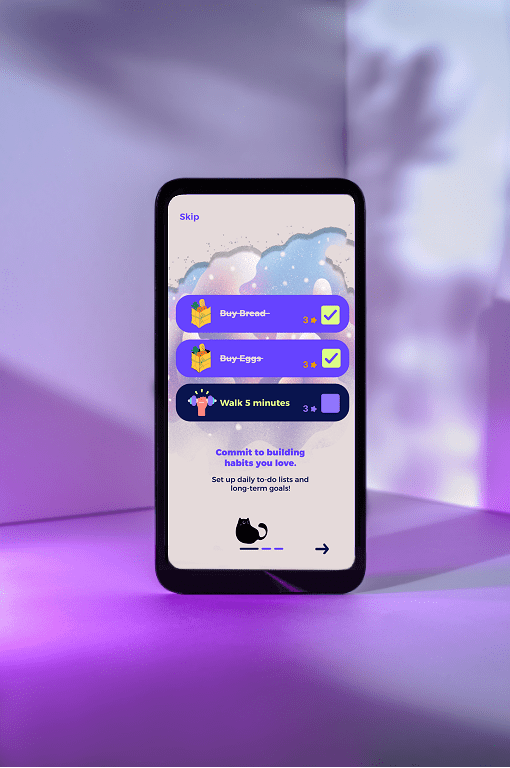
Atelier is a habit-making & journaling app.
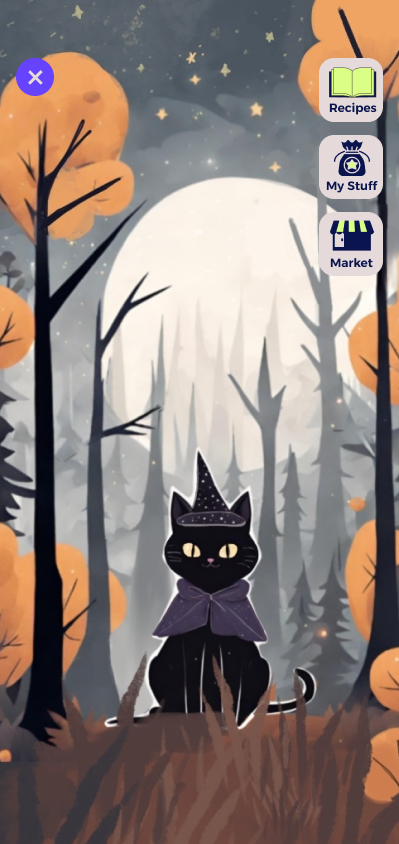
You can create goals, set reminders, log your moods, write about your day, connect with your friends, and more! Upon opening the app, you will embark upon your own personal quest of self-improvement. And every step of the way, you’ll have your Buddy there to help you— An animal companion of your choosing who will learn and grow alongside you, brewing collectible potions and spells.
Role ->
My goal was to create a tool that supports users in taking control of their day-to-day tasks and mental health.
As the sole UX/UI designer for this project, I was responsible for seeing this project from conception to completion. From research, prototyping, testing, to high-fidelity design implementation.
My mentor and tutor provided feedback during this process.
Tools ->
Figma, Canva, Procreate, Optimal Sort, Lyssna.
Duration ->
5 months.
Many people struggle with setting and achieving personal goals.
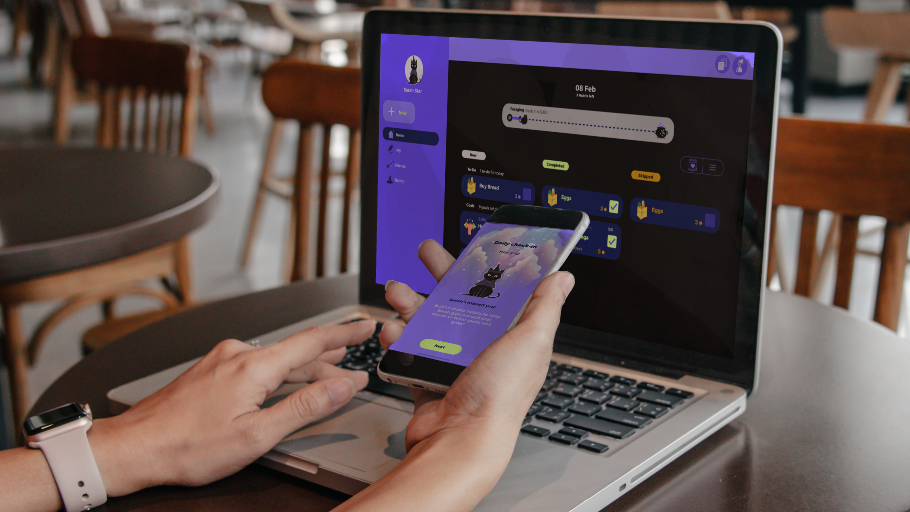
Atelier’s combination of goal-setting, mood logging, and journaling addresses various aspects of personal growth, making it a comprehensive tool for those looking to improve their mental, emotional, and even physical well-being.

- Structured Self-Improvement: Atelier provides a structured approach to self-improvement by allowing users to create specific goals and track their progress, making it easier to stay focused and motivated.
- Mood Tracking: Logging moods can help users identify patterns in their emotions, leading to better mental health awareness and management. Recognizing triggers and responses can be crucial for personal development.
- Social Connection: Users are able to make series of goals and challenge their friends to complete these goals with them, making the self-improvement journey more engaging and less solitary as users keep each other accountable.
- Daily Reflection: Writing about their day encourages users to engage in self-reflection, which can foster greater self-awareness and mindfulness.
- Gamification of Habits: Atelier makes habit formation feel like a game to enhance motivation and encourage consistent use. This gamified experience can make personal development feel more enjoyable and less like a chore.
Competitor Analysis
The wellness app space is highly competitive. ->
.
.
.
.
.
.
Conclusion:
Atelier has a strong foundation for success in the wellness app market, given the growing interest in self-improvement, mental health, and habit-building.
With strong branding, a focus on gamified wellness, and engaging features, Atelier has good potential for success, particularly if it targets younger users or individuals interested in gamified self-care.
With established apps like Habitica, Headspace, and Finch dominating the field, Atelier would have to (and does!) stand out.
Strengths:
- Appealing to Gamified Wellness: Many popular wellness and productivity apps use gamification to improve engagement. Atelier’s unique “Buddy” companion feature and collectibles (like potions and spells) bring a sense of playfulness and customization that could strongly attract users, especially younger demographics who enjoy a game-like experience in their apps.
- Friend System: Adding a social aspect to habit-making by allowing users to complete personal wellness journeys with their friends is a unique feature of Atelier, one that will help users keep each other accountable in making progress on their goals.
- Comprehensive Features: Atelier offers a holistic self-care experience that could appeal to users looking for an all-in-one app, as opposed to needing separate apps for each of these functions.

User Research
User Interviews
To gain deeper insights, I conducted interviews with individuals who’ve been exploring wellness apps in the market. To me, what began to stand out was how no one had a single app that met all their wellness needs. They needed to combine the usage of 2-3 apps on top of a journal or a planner— to track their nutrition, to time their meditations, to write checklist reminders, to manage their sleep, to set alarms.
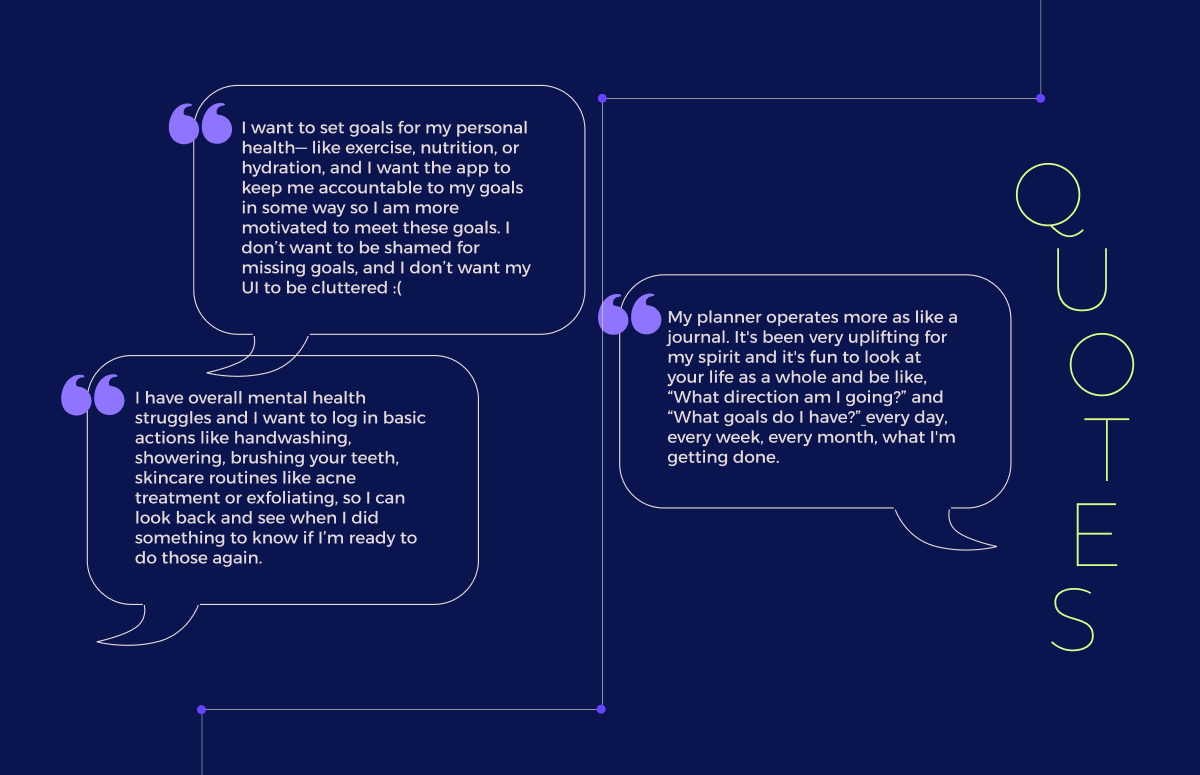
User Interviews/ Key Insights
1.
Mood/Activity Tracking
Interview participants want to track their anxiety and correlate fluctuations in mood with what occurred each day over a period of weeks or months.
Participants want to enter multiple entries for mood per day, a feature they don’t see on many apps.
2.
Journaling
Many participants have already integrated some type of journaling into their everyday routines.
Participants use journals to track mood, or used them as planners to keep track of their activities.
3.
Reminders
Participants want to customize reminders, so reminders don’t become overwhelming or ineffective over time.
Participants would prefer to receive encouraging over discouraging reminders of missed tasks.

User Personas & Journey Maps
User Personas: Putting People Front & Center
With these insights in mind, I developed personas to encapsulate the motivations, needs, and pain points of our target demographic: busy young adults with their respective struggles on their journeys towards better mental and physical health.
Meet Omar.
Omar represents our group of users who are dipping their toes first-time into thinking more about their holistic health and well-being everyday, but find it difficult to integrate well-being into their schedules.
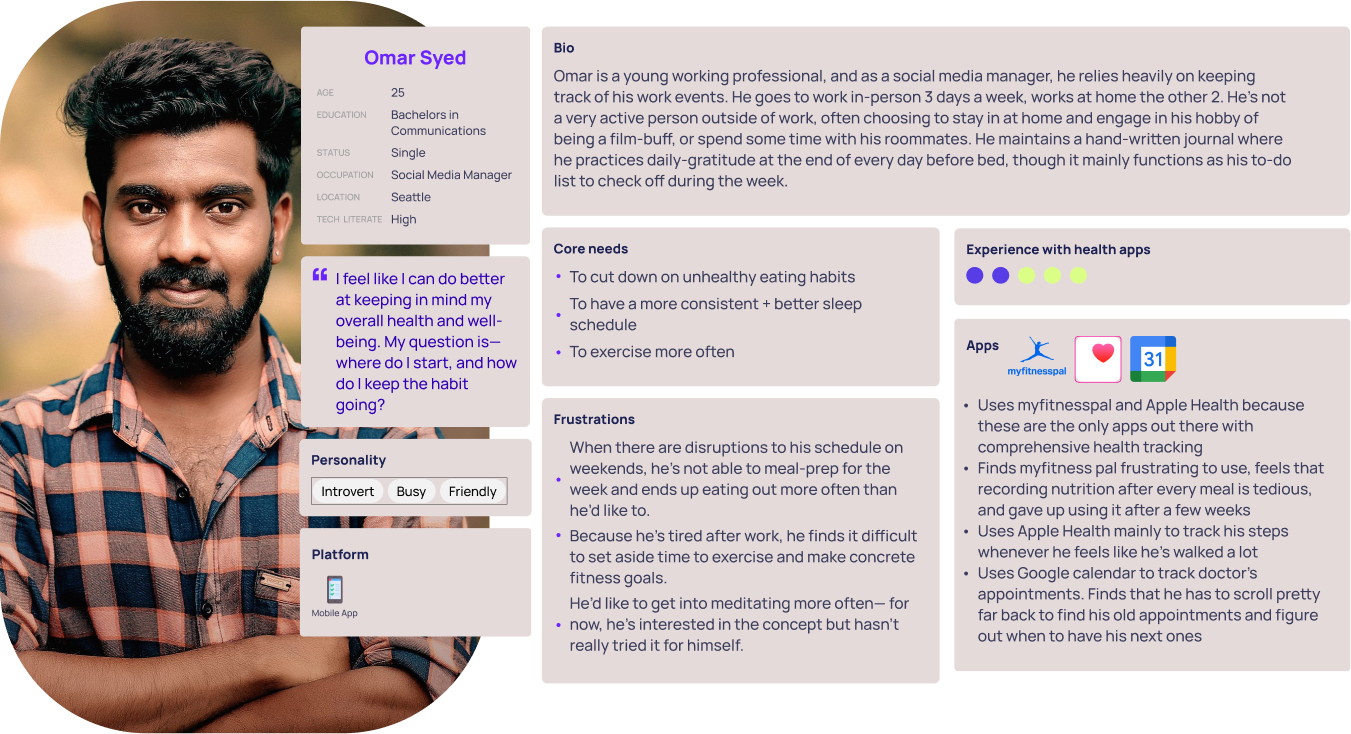
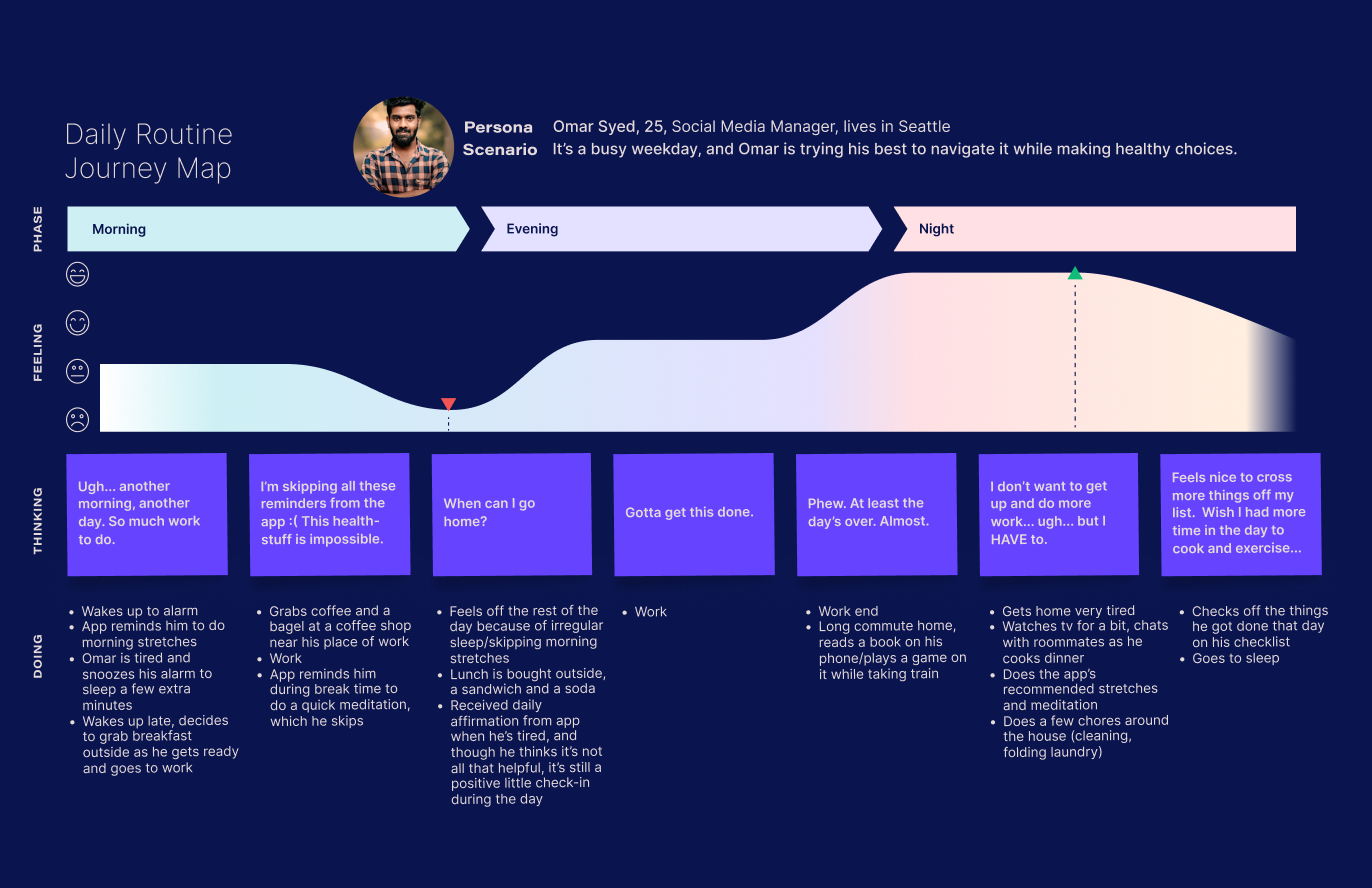
Key Takeaways
Painpoints
- Having the energy to do some type of short morning stretches/exercise
- Having the time to have a healthy breakfast at home
- Has to rely on buying food outside— often not as healthy as he’d like to be
- Tired/a little cynical of receiving affirmations
- Hard to stay motivated throughout the day.
- Can’t relax on commute, can’t fully unwind on public transport
- Needs to have time/energy for chores/ remember to do them and have the motivation to follow through
- Hates cooking dinner— barely has the motivation for it. Most meal planners he’s tried offer him recipes he finds too long, too complicated, and he’d prefer ready-made food made within a few minutes. He’s Indian though, and finding easy Indian recipes that he finds enjoyable to eat take too long to make.
- Wish he could do more things he enjoys throughout the day, and exercise and relax more
Opportunities
- An app to help him organize his day/schedule it so he can fit meal prep and exercise in there
- Create an easy meal-prep plan that can work for a busy + tired working adult
- Come up with a type of grounding exercise/meditation to do on the go, even in public spaces
- Send periodical check-ins to motivate— but not too many that he gets tired of them
- Add a calming aspect to the app that can be used on public transport to help him relax and wind down
- Create an Interactive/easy check-list he can make of everyday goals to meet
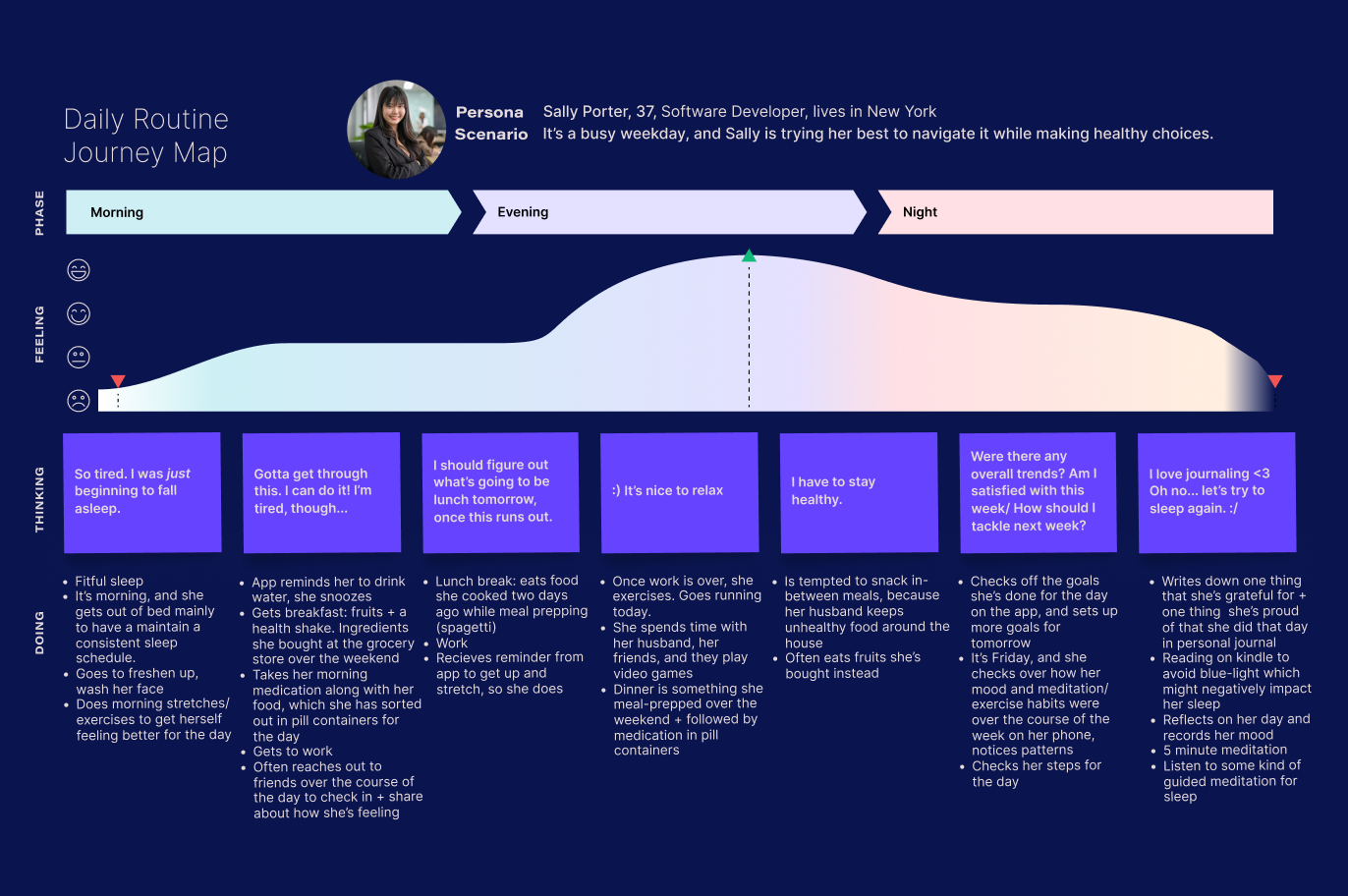
Meet Sally.
Sally’s been trying different wellness apps on the market for a while, but she still struggles to keep on pushing through the everyday grind of daily routines.
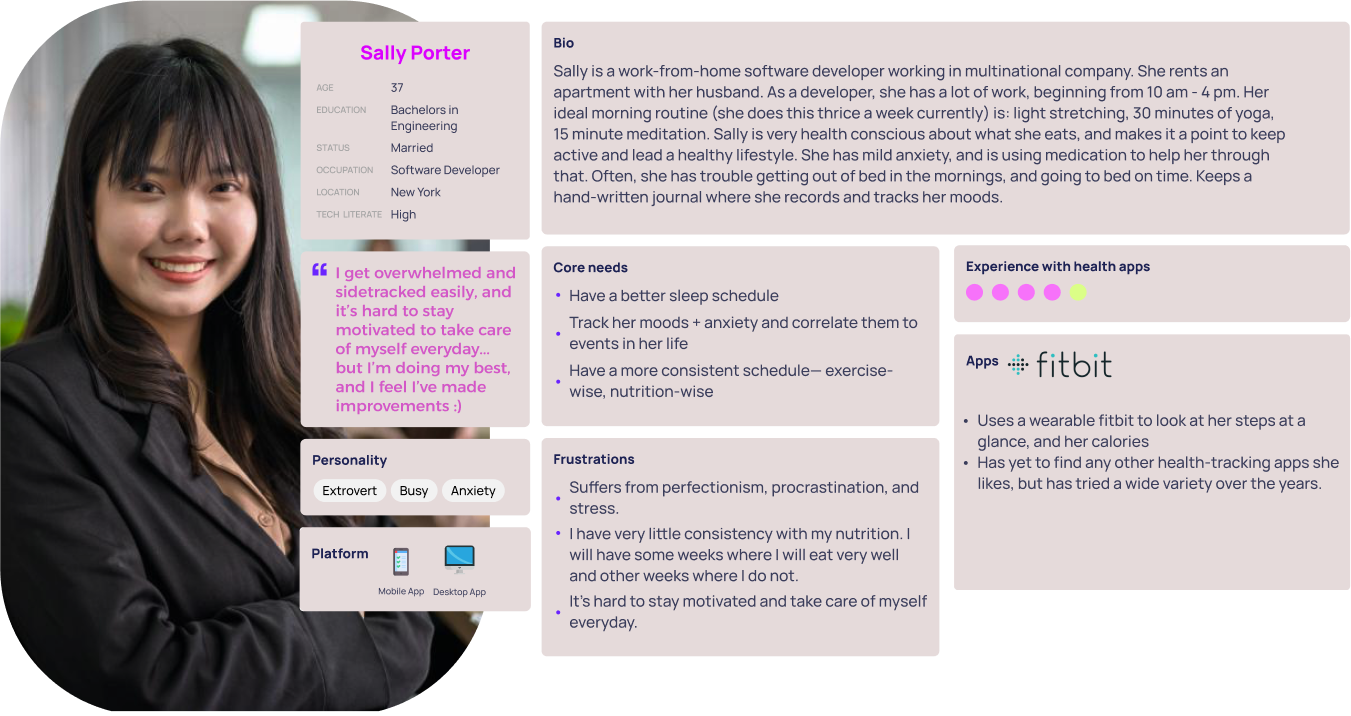
Key Takeaways
Painpoints
- Has a hard time falling asleep and then staying asleep, even with guided meditation, because of stress/ racing thoughts
- Has trouble getting up and feeling motivated in the mornings
- She has to heavily structure her day herself and have strong self-discipline, since she works from home
- Has a hard time resisting eating unhealthy food when they’re around her (and she can’t help them being around her, since her husband buys them)
- Wants the app itself to give her more feedback/analysis of her behaviors over the week
Opportunities
- Come up with an app that can track her sleep, and help her sleep better
- An app to track her moods/meditations/exercise + pairs with her physical journal
- Perhaps offer an accountability buddy feature, since she seems to enjoy activities done with other people
- Offer meal prep app + allow her to log foods she’s eaten (maybe through a quick picture, instead of manual typing) so she can see an overall look at the end of the week of what she’s eaten
User Flows + Site Map
Navigating the Path to Better Habits
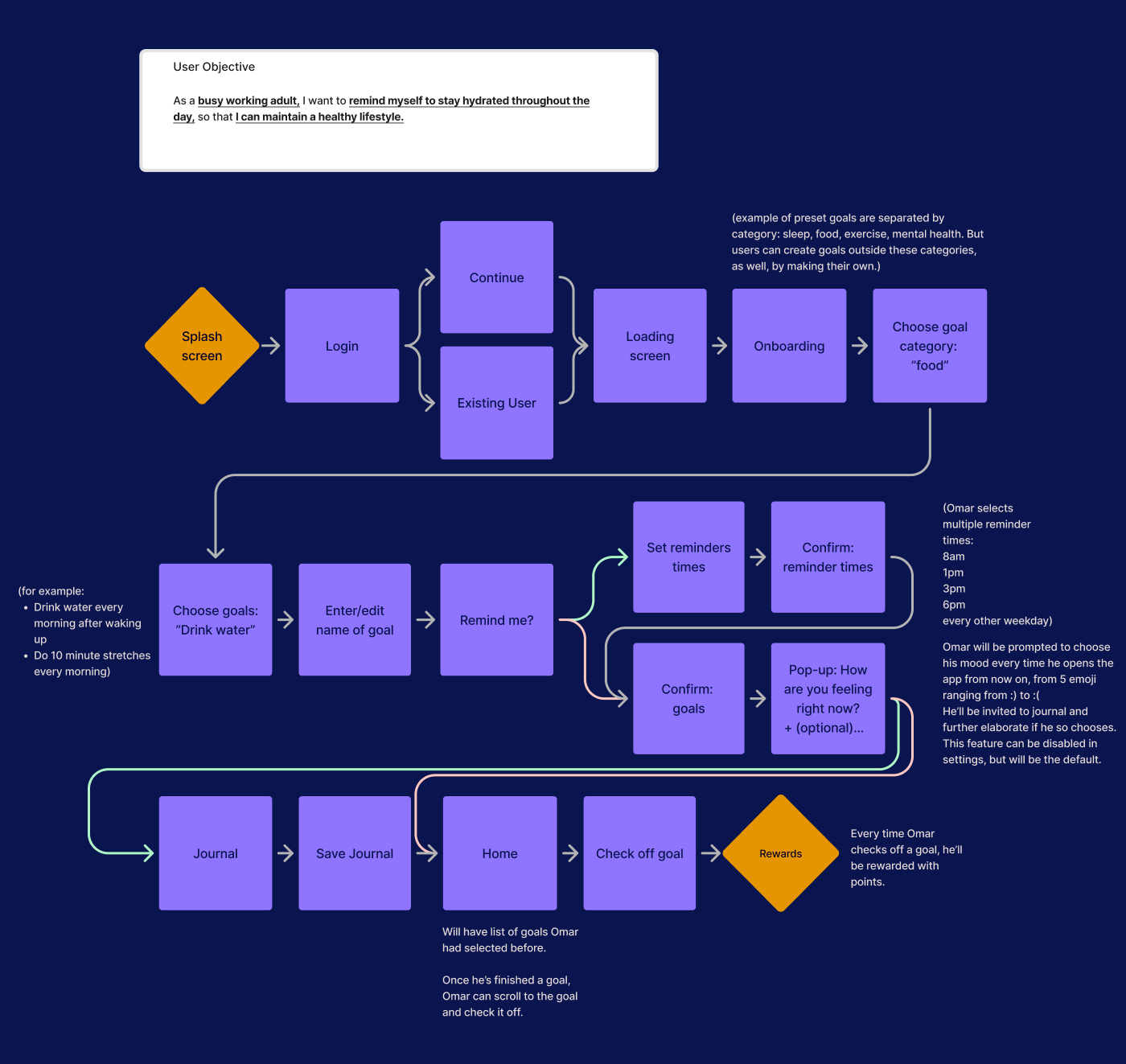
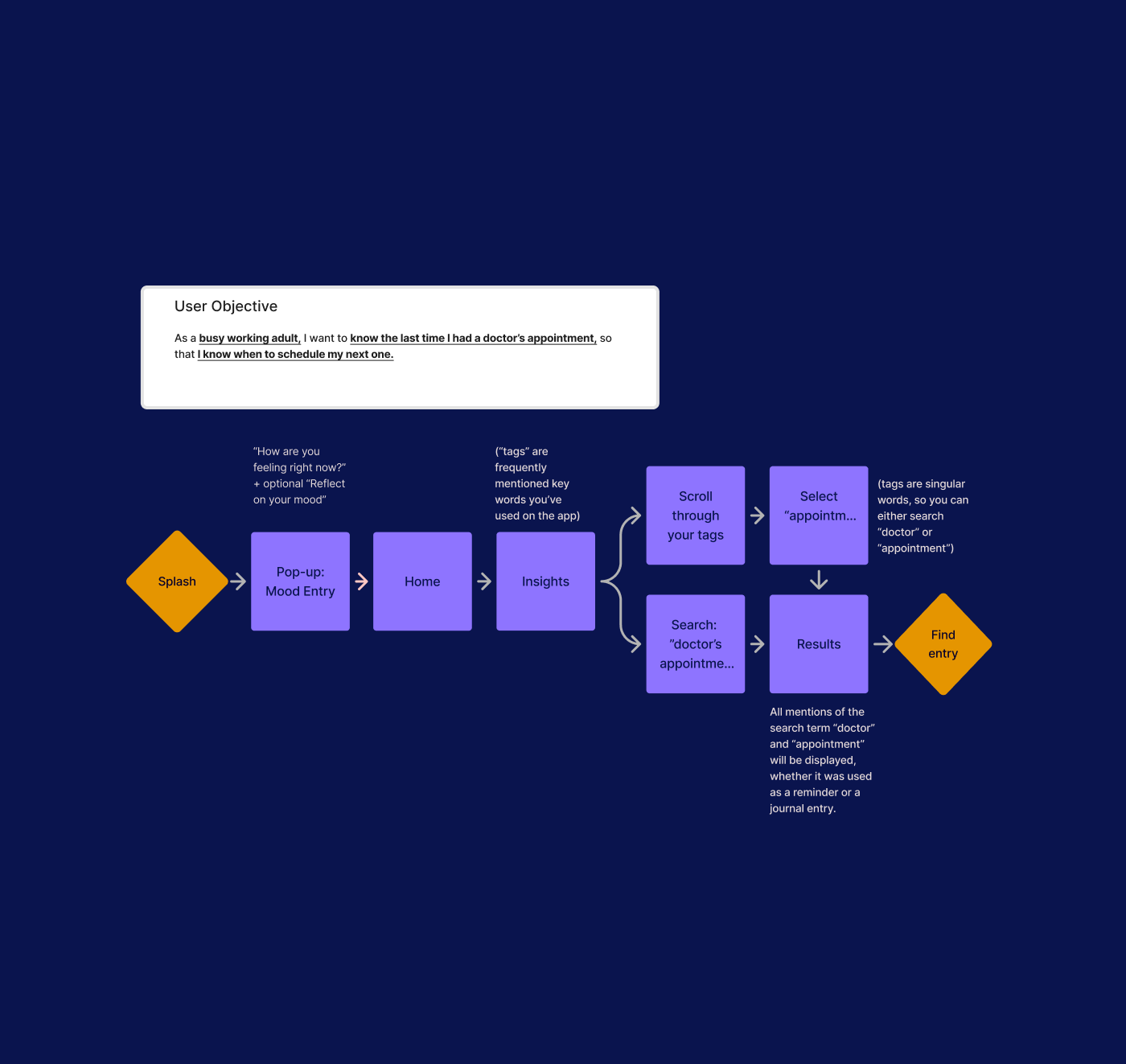
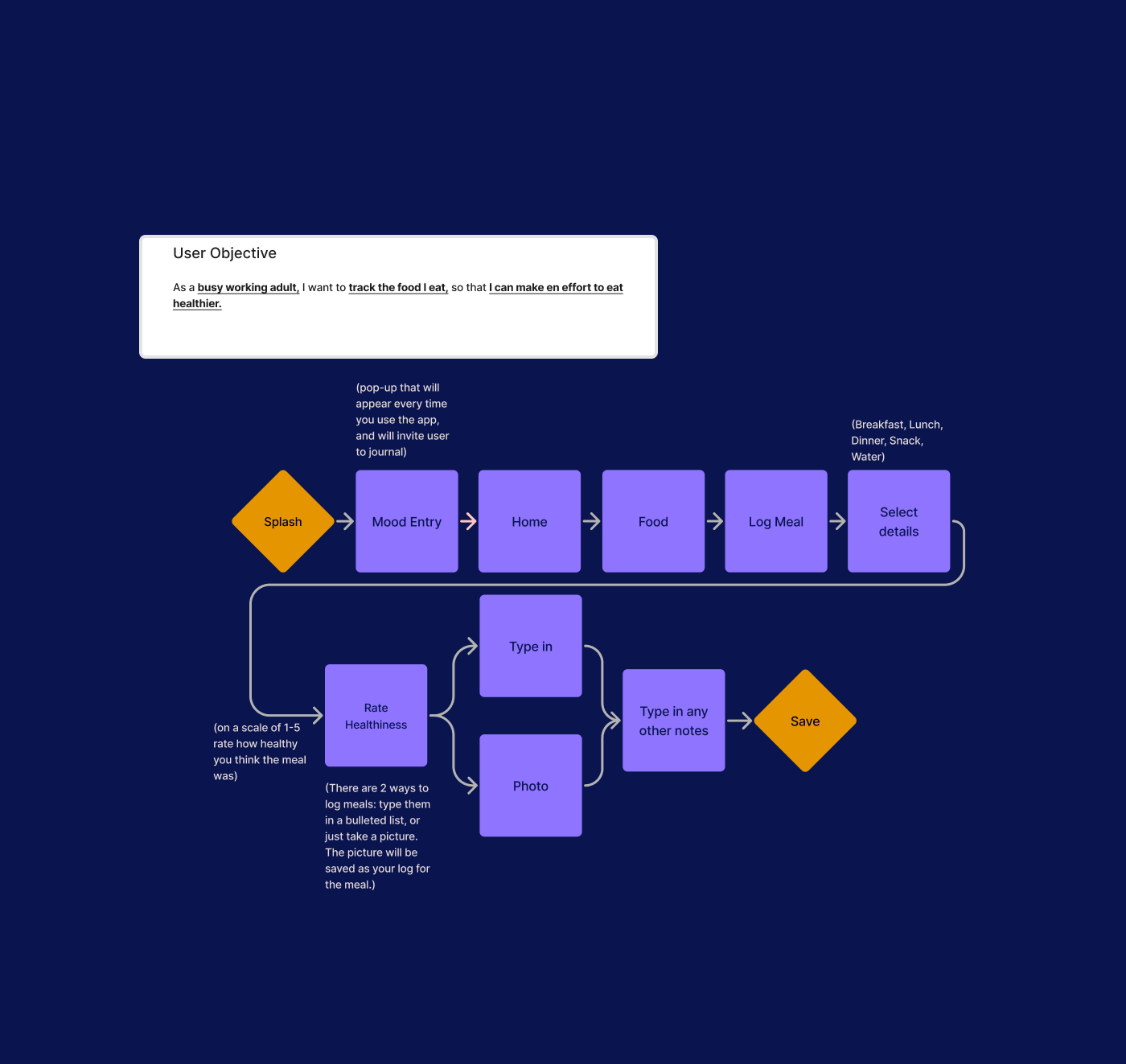
Here are a few user flows, focusing on different user goals:
- Setting reminders to stay hydrated
- Searching past entries to find the last time the user had a doctor’s appointment
- Using journal entries to track daily food-intake.
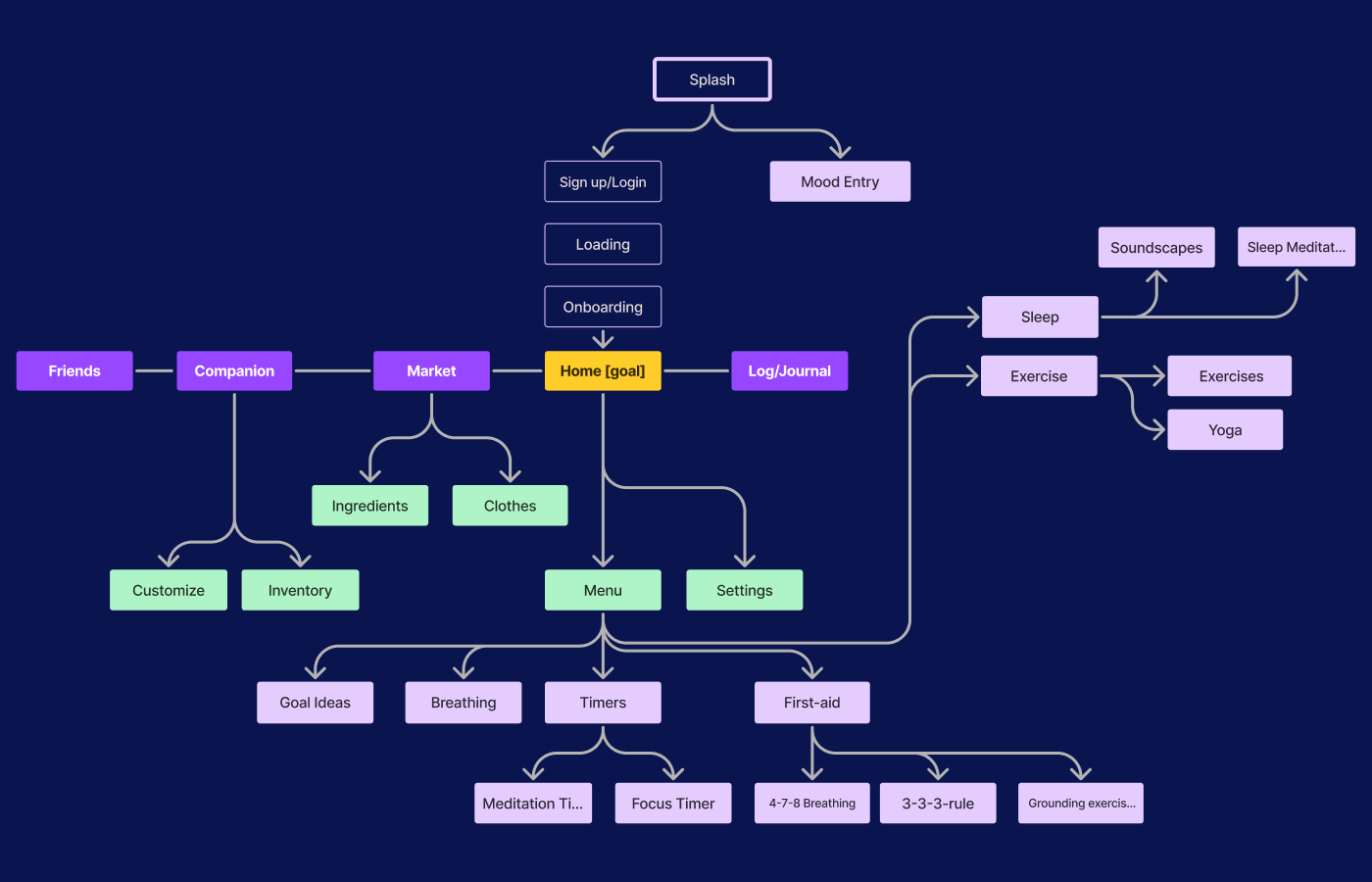
Sitemap
I created a mobile-first design plan for this responsive web app, prioritizing optimal usability on mobile devices while ensuring adaptability across smartphones, tablets, and desktops. This approach aligns with the needs of our user base, who will mostly access this app from their phones.
I conducted a hybrid card sort using OptimalSort with 6 participants, 43 terms used throughout the app, and 8 categories. The insights gained from testing helped inform how the next iteration for the sitemap would look, but the refining process for the app’s sitemap was far from over and would only continue as I developed Atelier.

Wireframing & Prototypes
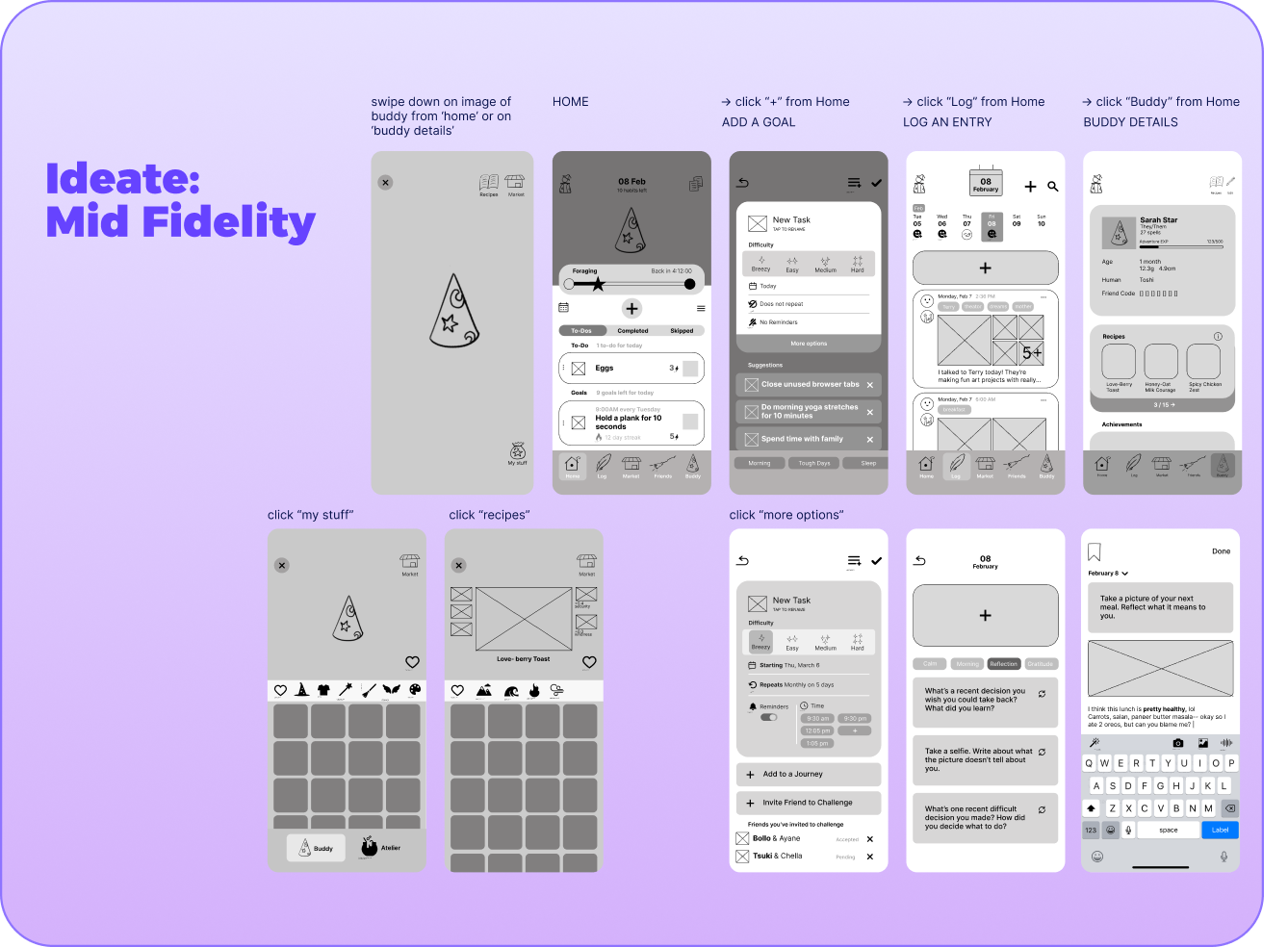
Design Phase: Mobile-First Design Plan
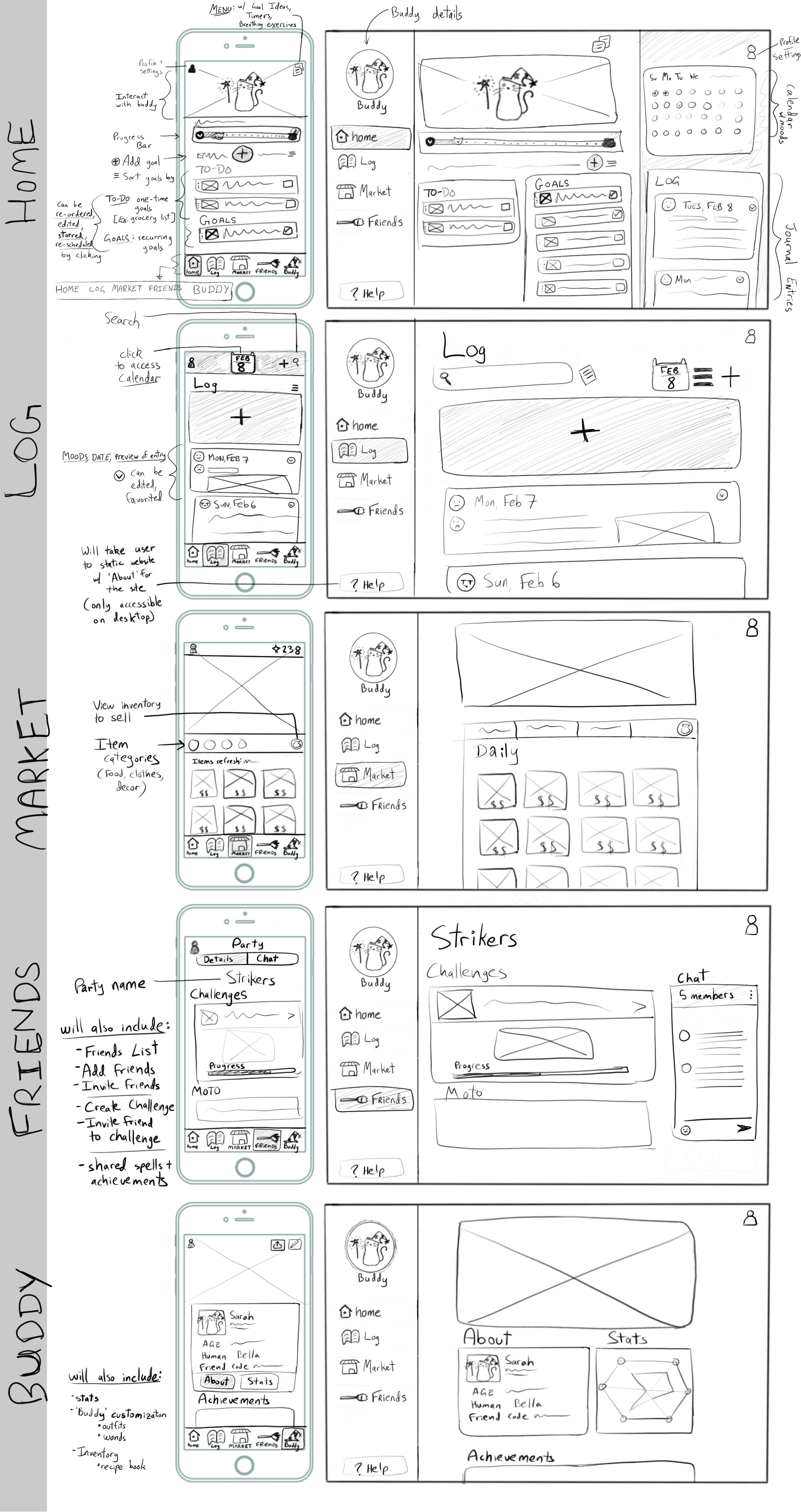
In the design phase, my focus was on making sure every decision was rooted in user needs and insights gathered from research. Sketching key screens allowed for rapid iteration and refinement, enabling a user-centered approach to layout and functionality.
UI Design
Energizing Design: Color, Comfort, and Clarity
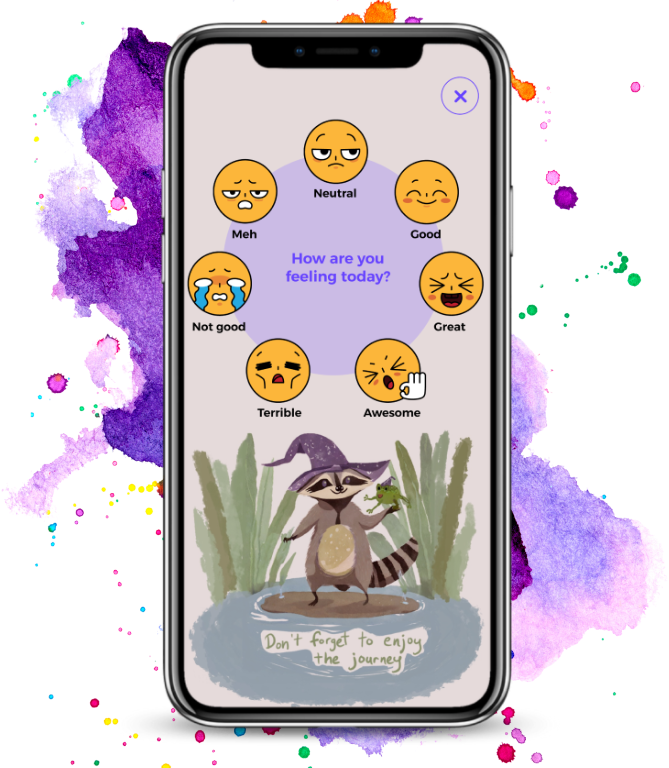
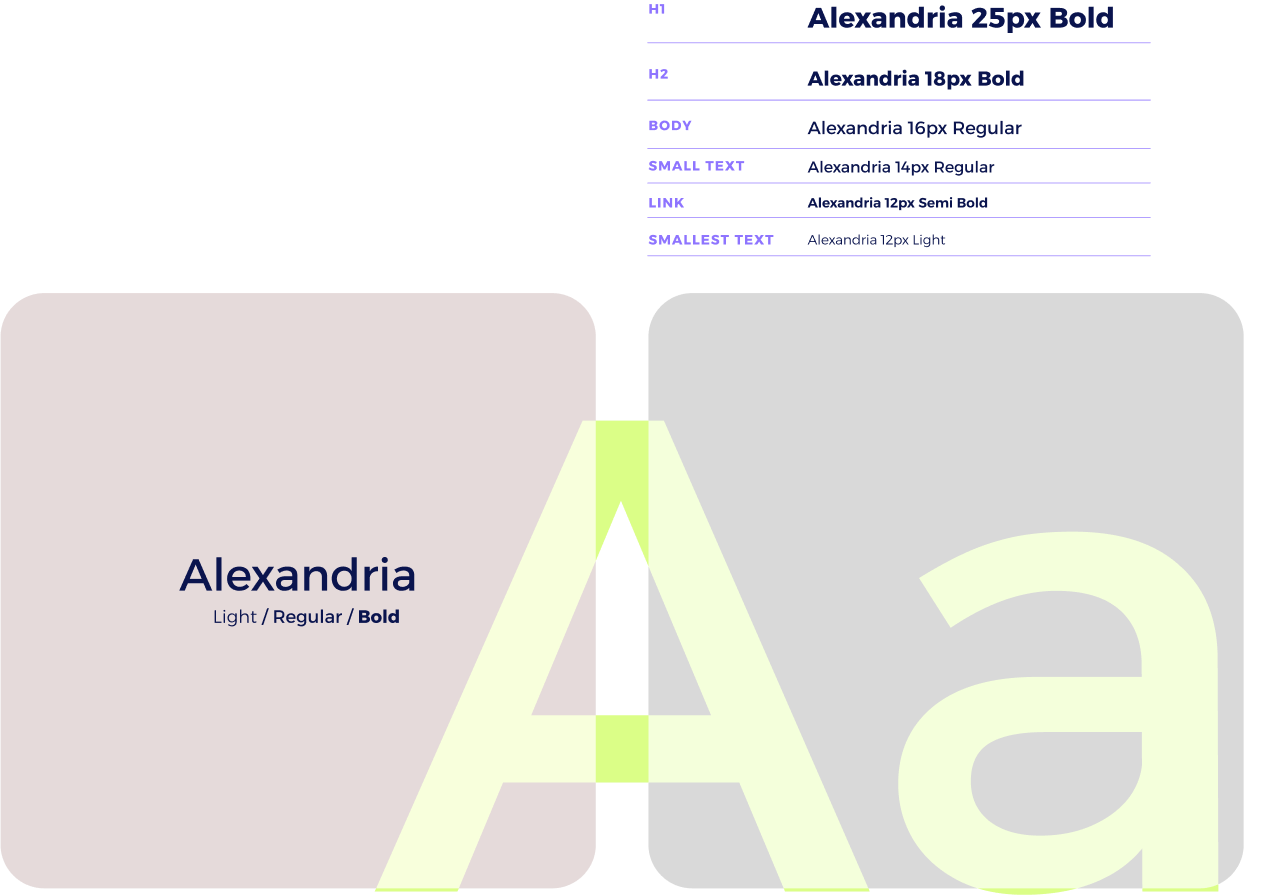
From the moment users open Atelier, they should feel warmly welcomed and encouraged. This is an app designed to help users have fun completing day-to-day tasks, and help them keep in touch with their emotions.
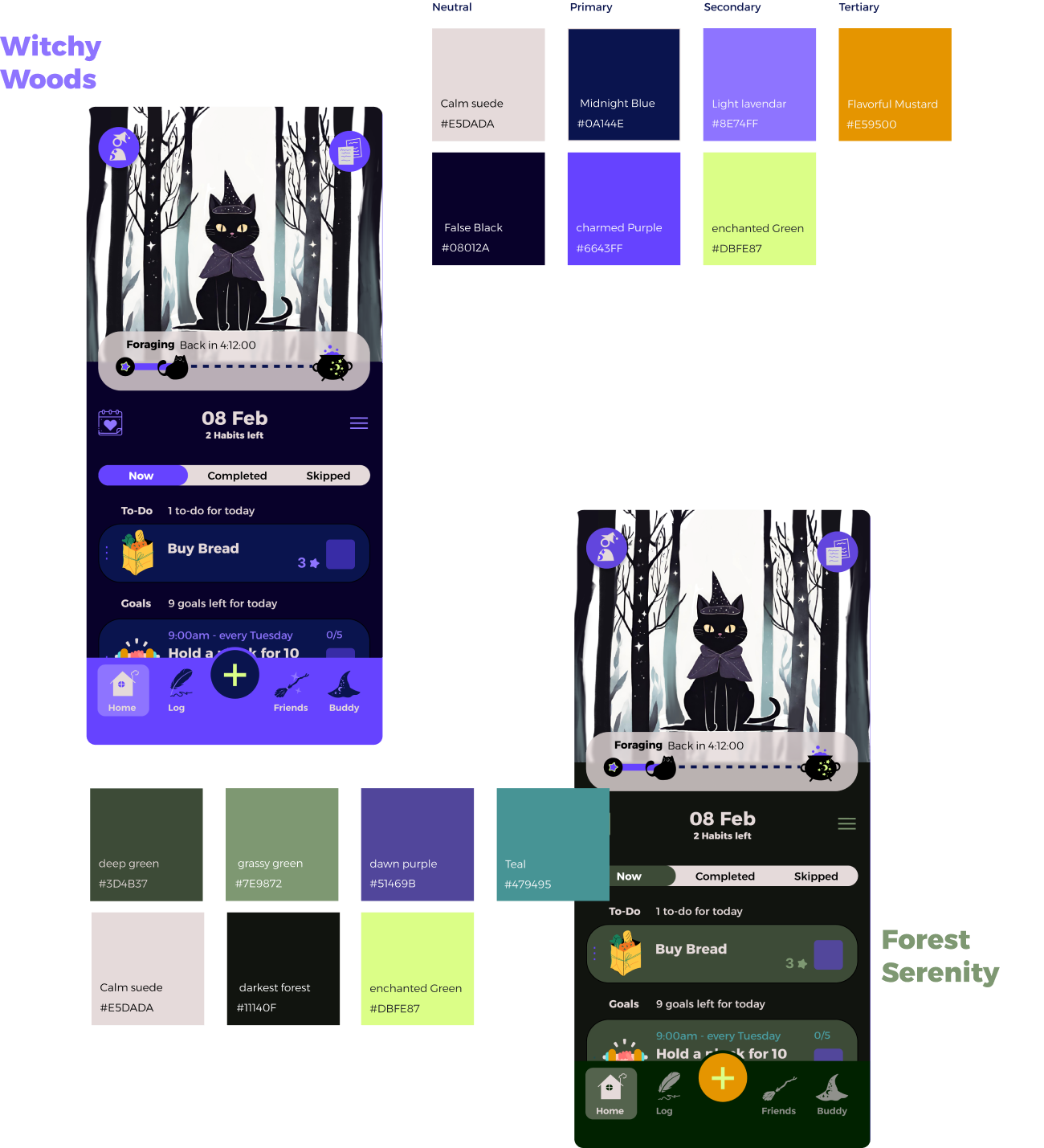
Atelier will use a clean interface juxtaposed by colorful illustrations, to give it a more friendly impression, along with bright and engaging color pallets against dark backgrounds.
Users will have the option to choose their color theme from a range of 5 when the open the app, two of which are depicted below: Witchy Woods (the default theme) and Forest Serenity.
Discovering Problems
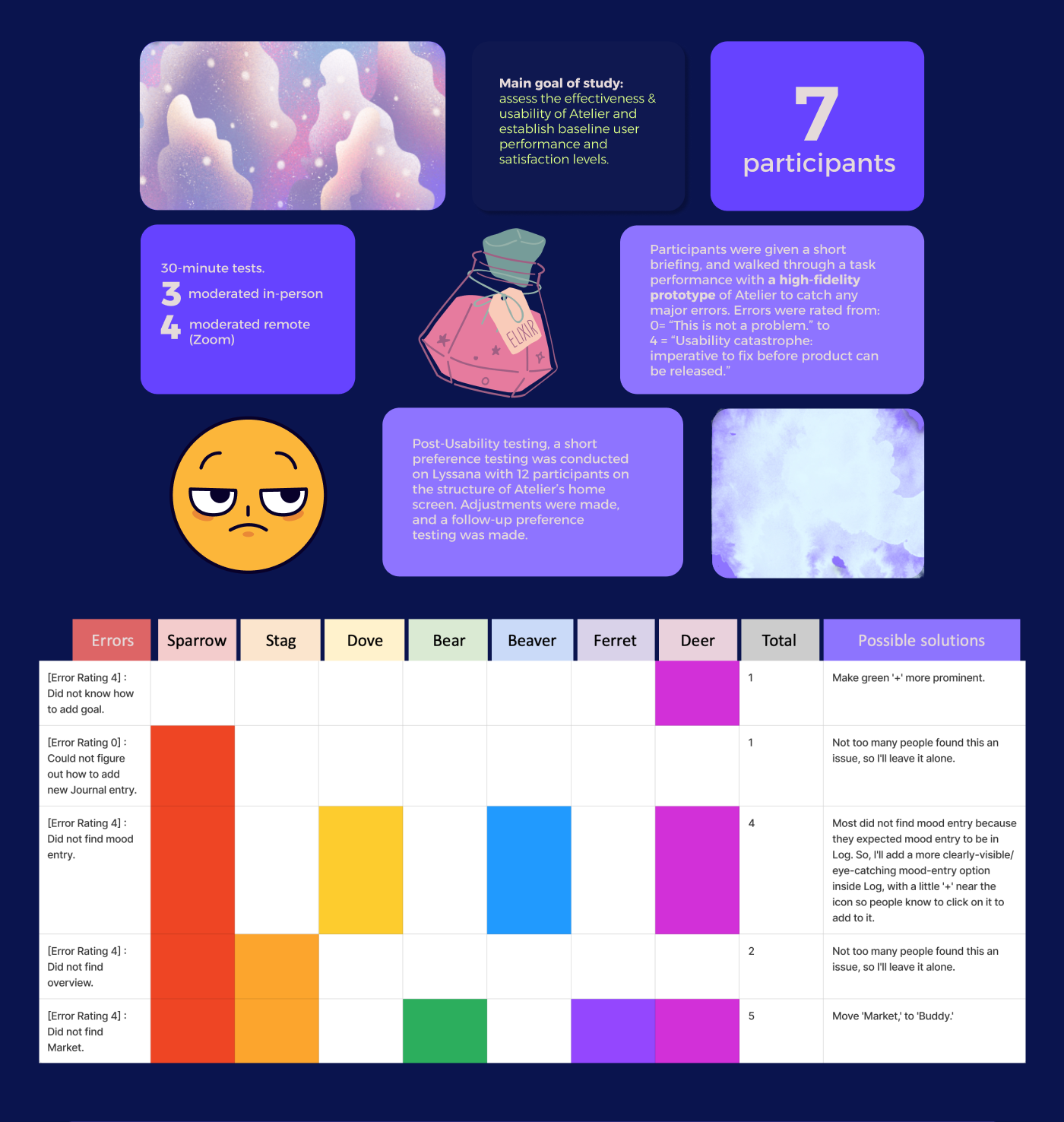
Conducting usability tests was key to evaluating the effectiveness of Atelier.
I conducted 3 moderated in-person tests and 4 moderated remote tests (over Zoom) with participants to evaluate the effectiveness and usability of my app, with the added intention of establishing user satisfaction levels with the app. I received feedback on function, design, and usability, among other things (after many user inquiries, I added a feature where users can pick their own color themes when they use the app!)
Following these tests, I made modifications to my app, and conducted follow-up preference testing using Lyssana.

“Final” Product
My “final” product reflects a design process that has kept user needs at its core.
I’ve made an interactive prototype using Figma, which allowed for feedback and collaboration with fellow UX designers as I opened my design up for critique. I received a lot of valuable feedback on aesthetics and design, which I incorporated into the “final” output… which, of course, is a work in progress. No design is ever actually “final.” If this app were ever made and released, the app would continue to release new updates and changes as we evolve to find out how best to serve user needs.

Conclusion & Reflections
To wrap things up, this project has been an incredible learning experience, really opening my eyes to the complexities of UX design and the importance of focusing on user needs.
Here’s what I’ve learned:
Prioritization: It’s important to know what to include— but also what to leave out, especially on a tight timeline. This first version (or minimum viable product/MVP) might not have every feature I’d like, but it’s a foundation to build off of, with room for future tweaks and improvements.
People: In UX, creating anything is an inherently social process. So many people are involved in the design process— from all the kinds of people who gave me their time and energy for user interviews, to those who gave me feedback on the app at different points of the process. I got to talk to a lot of people about a lot of different topics, especially since my app centered around mental/physical wellness. The stories I’ve learned and the people I’ve met were all so wonderful. To that end, I can’t help but feel that I can’t take full credit for the idea of this app. Which, I can’t say I mind 🙂
What I’d do differently:
- More brainstorming: I would ideate a ton, ton, more. I could’ve spent more time just hashing out ideas and conducting user preference testing earlier on to see what really clicks with my app’s audience. But sometimes, it’s important to just— jump right into it. To just do it. We can’t spend forever on the theoretical and what-if’s in the research phase, when it’s far more important to get valuable feedback from users when you finally get your design going. Research is simply a jumping off point for further improvement on the app.
All in all, this project has given me a deeper understanding of UX principles and techniques, and I’m coming out of it with skills and insights I’m excited to bring to future projects.
 shahirabhasha.design